
Flip open the manual for almost any GMRS radio, and you will see a prominent feature advertised: “Privacy Codes.”
It sounds secure, like a built-in encryption feature that gives your group a private channel for trail convoys or emergency coordination. But there is a massive catch: GMRS privacy tones offer absolutely zero actual privacy.
If you set your radio to Channel 15, Tone 12, anyone else within range on Channel 15 with their tones turned off can hear every word you say. Your voice is not scrambled, encrypted, or hidden.
So, if they don’t keep your conversations secret, what do they actually do?
A Quiet Channel, Not a Secret One
These codes are actually called CTCSS (analog) and DCS (digital) tones. Their true job isn’t to hide your voice from others; it is to filter out other people’s voices from your radio.
The Golden Rule of Privacy Tones: They don’t stop outsiders from hearing you. They stop you from hearing outsiders.
Think of it like a digital lock on your radio’s speaker. When you turn on a privacy tone, your radio’s speaker stays completely muted until it receives a signal from someone transmitting that exact same electronic code.
Because GMRS frequencies are shared public channels, they can get incredibly crowded with local chatter, repeaters, and static. By using tones, you don’t get a private channel, but you do get a quiet one. Your radio stays completely silent until someone from your specific group presses their push-to-talk button.
In this guide, we will break down exactly how these sub-audible tones work under the hood, compare analog vs. digital options, and look at how to set them up properly on your GMRS radio.
The Science of Sub-Audible Frequencies
How does a radio transmit a code simultaneously with your voice without turning your conversation into a jumbled mess? It all comes down to a splitting of the audio spectrum. When you key up your GMRS radio, it actually broadcasts two completely separate layers of audio at the exact same time. The first layer is your voice, which your radio’s internal processing limits to a “communications band” between 300 Hz and 3,000 Hz to maximize clarity. The second layer is your squelch code, which is piggybacked directly underneath your voice in a narrow basement band between 67.0 Hz and 254.1 Hz. Because these tones sit entirely below the frequency threshold of processed radio speech, they are known as sub-audible tones.
This frequency split prevents the code from interfering with your conversation. The split-second you press your Push-to-Talk button, your radio begins emitting that continuous low-frequency pitch. Any receiving radio within range picks up the raw signal, but before routing that audio to the speaker, the receiver passes it through an internal high-pass filter. This filter blocks everything below 300 Hz, stripping out the low-frequency code so you don’t have to listen to a constant, annoying bass hum underneath your friend’s voice.
While the filter cleans up the audio for human ears, a separate tone-decoder circuit measures the incoming low-frequency signal. If the transmitted tone matches the exact frequency programmed into the receiver, the radio instantly snaps its squelch gate open, activating the speaker so you can hear the transmission. If the radio detects a different code (or no code at all) the gate stays slammed shut. The radio signal passes right by, and your speaker remains completely silent, sparing you from the background noise.
CTCSS vs DCS
When diving into your GMRS radio’s menu, you will encounter two distinct types of squelch technology: CTCSS and DCS. While they serve the exact same purpose, keeping your speaker quiet until your team calls, they accomplish this using entirely different engineering methods.
The first and most common standard is CTCSS, which stands for Continuous Tone-Coded Squelch System. Often referred to simply as analog tones, CTCSS relies on a continuous, uninterrupted sub-audible sine wave. There are 38 industry-standard CTCSS frequencies ranging from 67.0 Hz to 250.3 Hz, though many modern manufacturers expand this pool up to 50 unique options. Because it is the older, legacy technology, it is universally compatible with every GMRS and older analog radio on the market. The main drawback of CTCSS is its simplicity; strong atmospheric static or a heavy blast of background noise can occasionally trick the analog receiver circuit into falsely opening the squelch gate, letting a burst of unwanted static bleed through.
Purchase Guide
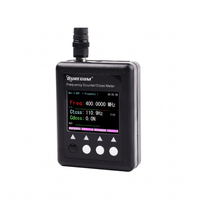
Surecom SF-401 Plus
Frequency Counter with CTCSS/DCS Decoder

The modern evolution is DCS, or Digital-Coded Squelch. Instead of broadcasting a continuous musical note, a DCS-enabled radio superimposes a continuous stream of digital data onto your signal. This stream consists of a repeating 23-bit digital word that functions like a constant binary password. Because it relies on digital logic rather than an analog frequency pitch, DCS offers a vastly larger pool of unique combinations, typically serving up between 83 and 104 standard codes. It is incredibly robust, meaning a digital squelch gate is almost completely immune to being falsely opened by random static or interference. The only true catch is cross-generation compatibility; if you are communicating with someone using a legacy or entry-level radio, their hardware might lack the processing circuitry required to decode a digital DCS signal.
For maximum reliability in high-traffic areas, DCS is the technically superior choice. However, if your group mixes older radios with brand-new GMRS gear, sticking to a classic analog CTCSS tone ensures everyone can hear each other without a hitch.
How to Configure Your Privacy Codes
Configuring your privacy tones requires uniform settings across your entire group. Before touching your equipment, you must first coordinate with your team to choose a specific primary GMRS channel and a matching sub-audible code, ensuring that you choose either a shared analog CTCSS frequency or a digital DCS number.
To program the radio, press the menu button to access your device’s core system settings and locate the squelch options. On most radios, these options will be clearly labeled as R-CTCS for receiving or T-CTCS for transmitting; however, you can look for universal catch-all labels like C-CDC or simply TONE. Once inside this sub-menu, use the directional keys to cycle through the available options until you find the exact numeric frequency or digital code your team decided on, then hit the confirm or menu button to lock that setting into the channel’s memory.
A critical best practice to remember before broadcasting is to tap the radio’s “Monitor” button, often labeled as MONI or MON. This button temporarily overrides the active squelch filter and opens the speaker completely, allowing you to listen for a brief moment to ensure you aren’t accidentally transmitting directly over another group who is already using that primary frequency.
Pitfalls and Best Practices
The biggest trap when configuring privacy codes is relying on the menu numbers rather than the actual technical specifications. Manufacturers frequently map different frequencies to different numeric positions inside their menus. For example, “Tone 7” on a rugged Midland radio might broadcast at 85.4 Hz, while “Tone 7” on a Baofeng or Motorola radio might be hardcoded to 82.5 Hz. Because these numbers don’t match across brands, your radios will keep each other muted. To fix this, open your user manuals and cross-reference the actual frequency pitch (like 100.0 Hz) rather than trusting the superficial channel numbers.
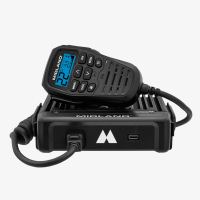

Additionally, you must never use privacy tones on designated emergency frequencies, such as GMRS Channel 20 or any active local repeater inputs, unless specifically directed by emergency protocol. If you leave a squelch code active on a distress channel, your radio will completely ignore incoming transmissions from injured hikers or emergency personnel who are broadcasting without a tone.
Finally, remember that tones are an organizational convenience, not data encryption. Because anyone sitting on your primary channel with their tones turned off can hear your transmissions clearly, you should never broadcast sensitive personal information, passwords, or precise residential security details over public GMRS frequencies. Use tones to keep your radio quiet, but always communicate assuming the whole mountain can hear you.
Treat these codes as a convenient way to mute the noise around your group, but never mistake a blissfully quiet channel for an encrypted or private conversation.